
 Quick Support
Computer & Laptop Repairs
Diagnosed properly before anything gets replaced
Full workshops in both stores, with an extensive range of parts held in stock so most jobs don't wait on an order. Every job starts with a diagnosis, and you'll be told the cost before anything goes further.
Sound familiar?
- Won't turn on, or turns on with no display
- Running far slower than it used to
- Blue screens, freezes or random restarts
- Making noises it didn't used to make
- Cracked hinge, damaged case or a screen that won't light
- Battery that won't hold charge
- Overheating, loud fans, shutting down under load
Pricing
Full Diagnosis
$149Complete hardware and software testing with a written report. Includes Windows updates, driver fixes, software clean-up and minor repairs. Paid upfront; not credited against the repair.
Priority Service
+$79Moves your job to the front of the queue. Diagnosis usually same day, though not guaranteed.
Emergency Service
+$149Work starts immediately, highest priority. Most jobs finished same or next day.
Windows Reload
$149Drive formatted, Windows reinstalled with all drivers and essential software. $279 bundled with a full data backup.
Virus Removal
From $79Manual removal with registry cleanup. If it returns within a week, the $79 credits towards a full reload.
Data Backup & Restore
$149Backed up to our secure server, checked, and restored to the right places. Includes email setup. $279 bundled with a reload.
Full Service
$149Stripped down, every part cleaned individually, dust filters cleared, fresh thermal paste, worn cables replaced.
Laptop Screen Replacement
Quoted on the panelMost common 14" and 15.6" panels are in stock, and the fit itself takes about ten minutes — but jobs run in queue order, so it's usually a same-day repair rather than one done at the counter. Touch and model-specific screens are ordered fast — usually overnight. See the laptop screens page for the full stock rundown.
Light Service
$79Dust cleared and thermal paste replaced where needed, damaged cables swapped.
Dust Out (Air Gun)
$39Thorough dust removal.
Password Removal
From $79Forgotten Windows password cleared, usually within the hour. Microsoft account passwords are treated as a data extraction at $149.
Hardware Installation
$39A part fitted, software installed and tested. Doesn't include diagnosis of existing hardware.
Single Item Testing
$39One component tested for faults. $79–$149 where a temporary bench build is needed to test it, such as a mainboard. Free if we supplied it and it's under warranty.
Delivery & Installation
From $149Delivered and plugged in, up to an hour from base. Includes free removal of your old gear and packaging.
What You Get Elsewhere
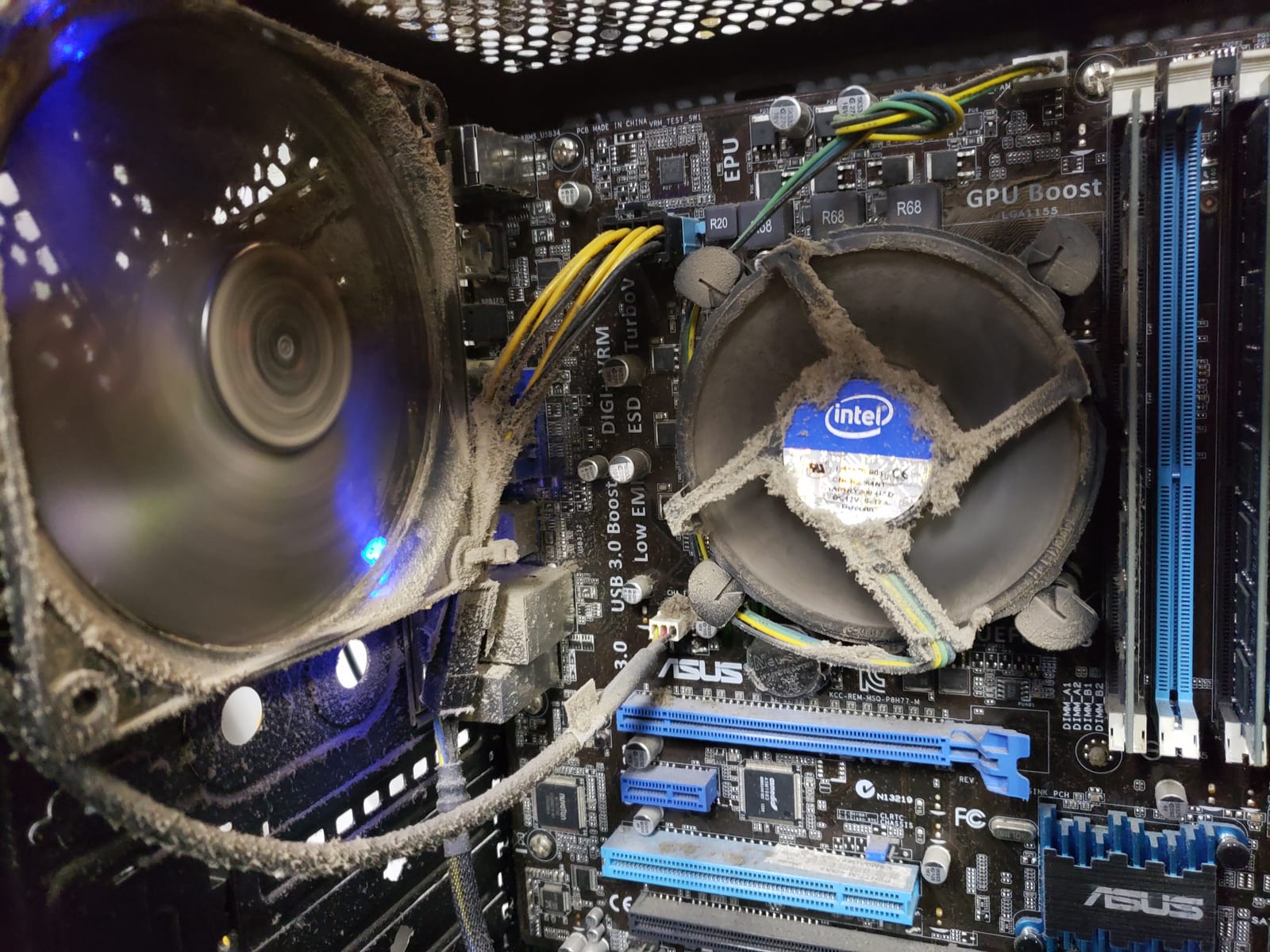
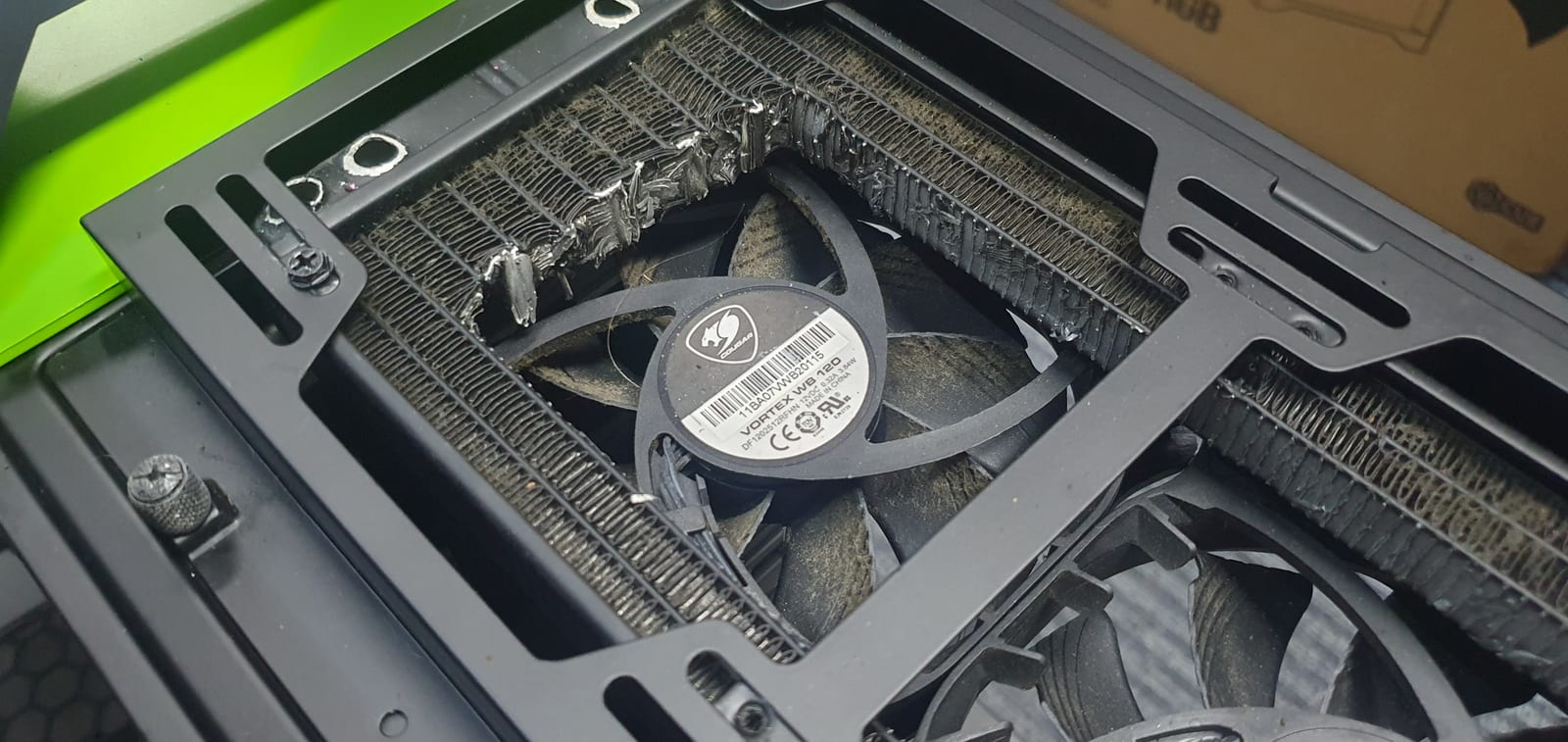
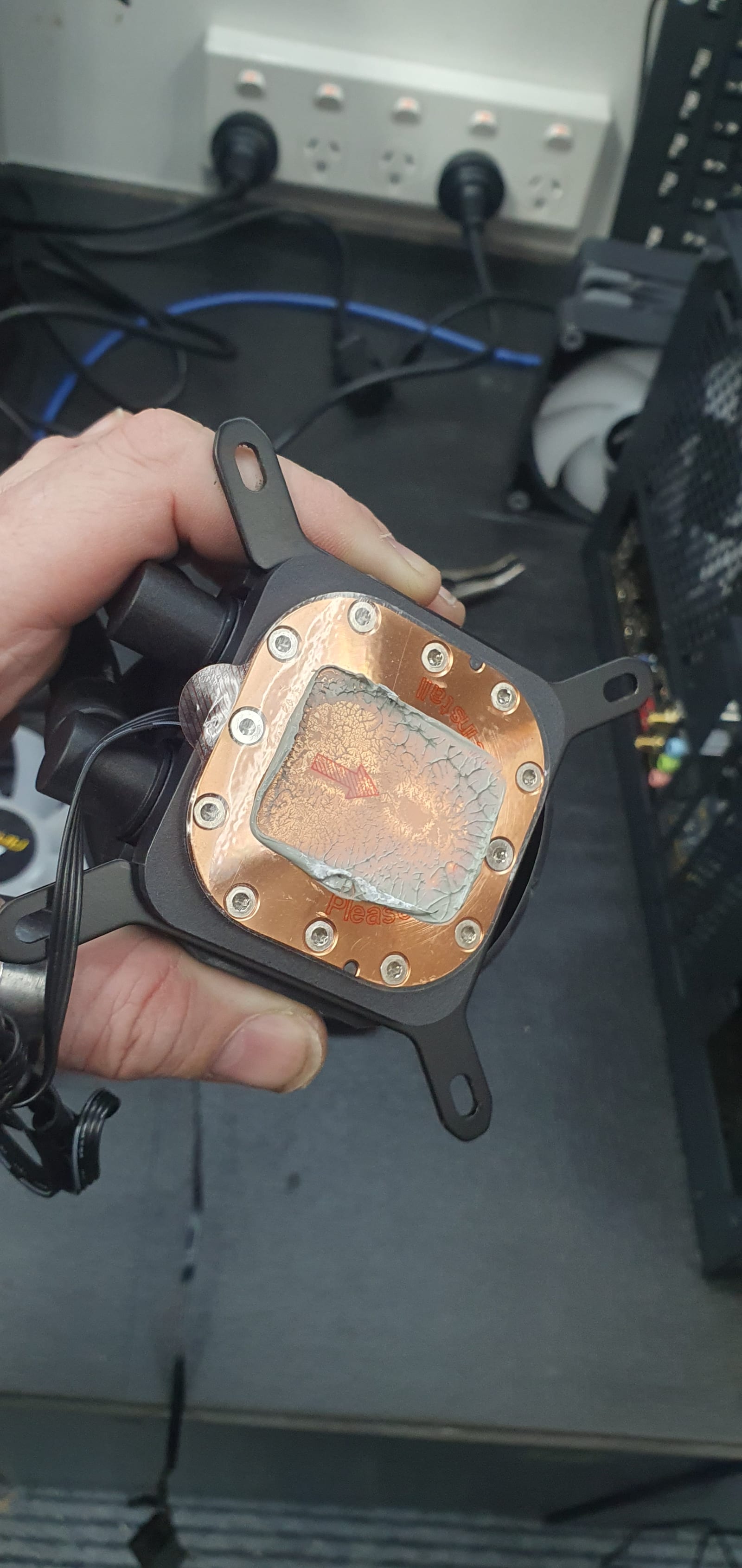
Not examples of our work — this is what turns up when someone's mate who's "pretty good with computers" has had a go first.
How Long It Takes
Average turnaround from drop-off to completion is two to five working days, not counting weekends and public holidays. Diagnosis itself is usually one to two working days once your job reaches the front. Jobs run first in, first out unless priority is paid — and you can pre-pay to reserve your place in the queue and be notified when it's due to start.
Nothing Happens Without Your Say-So
Every job needs a diagnosis first. If additional parts or labour turn out to be needed, you'll be told before we go beyond that point. All workshop jobs are subject to our standard terms, which you sign on the jobsheet at drop-off.
Sometimes the Answer Is Don't
If a machine isn't worth repairing, we'll say so. The diagnosis exists precisely so you can make that call on real information — and if replacing is the better spend, we'll move your data across.